
Devoptiv
March 17, 2026
|9 min to read
|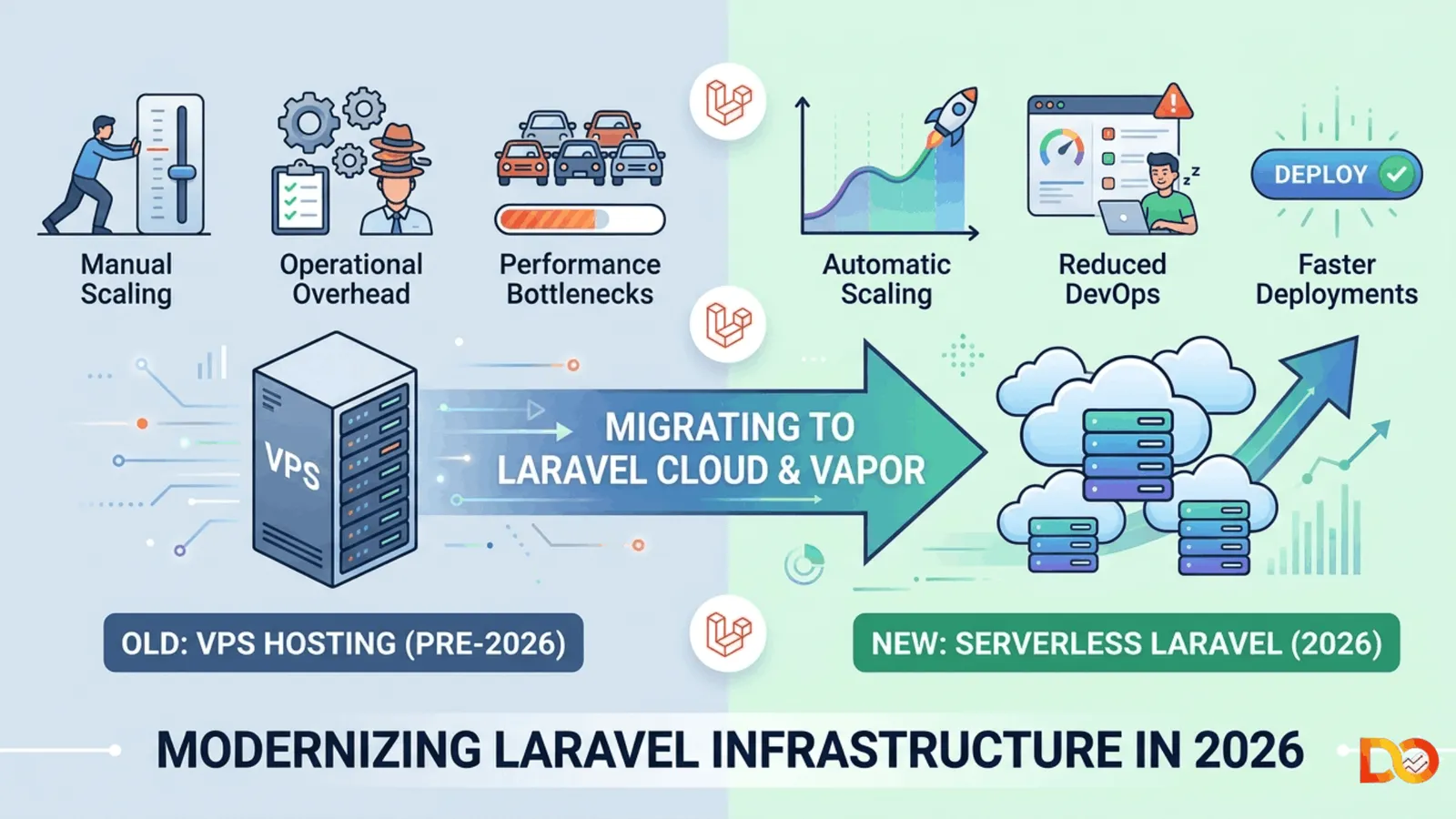
If you are still running your Laravel application on a traditional VPS in 2026, you are likely paying more than you need to, managing infrastructure complexity you never signed up for, and leaving performance gains on the table.
The serverless revolution has officially reached the PHP ecosystem and it is reshaping how modern laravel application development services teams architect, deploy, and scale production systems. Whether you are building a SaaS product, an enterprise API, or a high-traffic e-commerce platform, migrating from a VPS to Laravel Cloud or Laravel Vapor is no longer experimental. It is a competitive advantage.
This guide walks you through what serverless Laravel means in 2026, why VPS-based deployments are losing ground, how to plan a migration, and what to expect on the other side.
What Does "Serverless Laravel" Actually Mean?
Serverless doesn’t eliminate servers - it simply removes the need for you to manage them.
In a serverless Laravel setup, your application runs on cloud infrastructure that automatically provisions, scales, and decommits compute resources based on real-time demand. You deploy your code. The cloud handles everything else.
Two platforms dominate this space for Laravel teams today:
Laravel Vapor - A serverless deployment platform built specifically for Laravel, powered by AWS Lambda. Vapor handles queue workers, cron jobs, databases, caches, and file storage through a managed AWS ecosystem.
Laravel Cloud - Laravel's newer first-party platform offering container-based serverless deployment with tighter framework integration and a developer experience built from the ground up for Laravel teams.
Both options allow professional laravel development services teams to ship production-grade applications without touching Nginx configs, SSL certificates, or server provisioning scripts.
Why VPS-Based Laravel Deployments Are Losing Ground in 2026
Traditional VPS hosting made sense when Laravel applications were simpler. You spun up a DigitalOcean or Linode instance, configured a LEMP stack, set up Forge or Envoyer, and called it done. But in 2026, that model carries significant operational overhead.
1. Manual Scaling Creates Risk
A VPS is a fixed resource. When traffic spikes during a product launch or seasonal rush, a VPS either handles the load or it does not. Teams delivering laravel app development services for growing businesses simply cannot afford that fragility.
2. Server Maintenance Is a Hidden Cost
Patching OS vulnerabilities, updating PHP versions, managing SSL renewals, monitoring disk usage, and responding to infrastructure alerts all consume engineering time. Every hour on server maintenance is an hour not spent building a product.
3. You Pay for Idle Capacity
A VPS runs continuously whether your application is serving one request per minute or ten thousand. Serverless infrastructure bills based on actual execution, meaning quiet overnight hours cost far less than peak windows.
4. Modern Laravel Features Assume Cloud Primitives
Laravel's queue system, broadcasting, file storage, scheduled tasks, and caching are designed to integrate natively with cloud services like SQS, S3, Redis, and DynamoDB. Bridging those integrations on a self-managed VPS requires manual effort that serverless platforms handle automatically.
Laravel Cloud vs Laravel Vapor: Which Is Right for Your Team?
Choosing between Laravel Cloud and Vapor is one of the first decisions Laravel application development services teams face during a serverless migration.
Feature | Laravel Cloud | Laravel Vapor |
Infrastructure | Laravel-managed containers | AWS Lambda functions |
Config Complexity | Low — minimal YAML | Medium — AWS knowledge helps |
Cold Start Latency | Near-zero | Possible on infrequent routes |
Database Support | Native managed DB | RDS via VPC |
Pricing Model | Flat-rate plans | Pay-per-execution (AWS) |
Best For | Teams prioritizing developer experience | Teams with existing AWS investment |
For most product teams and Laravel development services agencies, Laravel Cloud offers the fastest onboarding experience in 2026. For teams already operating within a mature AWS ecosystem, Vapor remains the more flexible option.
Pre-Migration Audit: What to Assess Before You Move
A successful serverless migration starts with an honest assessment of your existing application. Rushing straight to deployment without this step is the most common reason migrations fail or require expensive rollbacks.
Application Architecture Review
Serverless environments are stateless by design. If your application stores anything in the local filesystem - cached files, uploaded assets, session data - those patterns must be replaced. Common updates include shifting file storage to S3-compatible buckets, moving sessions to Redis or DynamoDB, and eliminating local temp file dependencies in queue jobs.
Long-Running Process Identification
AWS Lambda enforces a maximum execution time of 15 minutes. If your application runs large CSV imports or long reports synchronously, those workflows must be refactored into queued jobs before migration. Teams providing professional laravel app development services conduct this audit as a formal discovery phase.
Dependency Compatibility
Some PHP extensions and binary dependencies behave differently in Lambda environments. Audio and video processing libraries, PDF tools relying on system binaries, and image manipulation packages with native extensions all require verification. Laravel Cloud's container-based model is generally more permissive here than Vapor's Lambda constraints.
Environment Configuration
All secrets, API keys, database credentials, and third-party service tokens need migration from .env files into the secret management systems provided by your target platform — Vapor's environment dashboard or Laravel Cloud's secrets store.
Step-by-Step: Migrating a Laravel Application to Laravel Cloud
The following workflow reflects how experienced laravel development services teams approach a standard VPS-to-Cloud migration in 2026.
Step 1: Establish the Cloud Environment
Create your Laravel Cloud project, link your repository, and configure your production environment. Define environment variables, connect your managed database, and set up queue configuration.
Step 2: Update Storage Drivers
Replace local disk references in config/filesystems.php with S3-compatible storage. Laravel Cloud provides managed object storage that maps directly to the s3 driver.
Step 3: Configure Queue and Cache Infrastructure
Point your queue connection to SQS (for Vapor) or Laravel Cloud's managed queue service. Switch your cache driver to Redis or DynamoDB. Verify that all jobs implement the ShouldQueue interface correctly and that timeouts are set below platform execution limits.
Step 4: Run Parallel Deployment
Before cutting DNS, run your serverless deployment alongside the existing VPS for parallel traffic testing. Use feature flags or staging environment URLs to validate application behavior. This step is non-negotiable for applications with payment processing or complex authentication flows.
Step 5: Migrate the Database
Use Laravel's built-in migration system against the cloud database. Verify data integrity, foreign key relationships, and any database-level triggers. For zero-downtime migrations, consider a read-replica cutover strategy.
Step 6: DNS Cutover and Monitoring
Once parallel testing is complete, update DNS records to the Cloud platform's edge URL. Immediately verify application health through uptime monitoring, error tracking (Sentry or Flare), and log aggregation. Keep the VPS running for 48–72 hours post-cutover as a fallback.
Performance Gains You Can Expect After Migration
Teams that have completed serverless migrations through professional laravel application development services engagements consistently report similar outcomes:
Response time improvements - Laravel Cloud's global edge network reduces geographic latency significantly compared to single-region VPS deployments.
Zero-downtime deployments - Serverless platforms deploy new versions atomically with instant rollback capability.
Automatic scaling under load - Traffic spikes are absorbed transparently. The platform provides additional capacity in seconds.
Reduced operational overhead - Engineering teams report reclaiming 5–15 hours per month previously spent on server maintenance.
Predictable cost model - For most applications, serverless infrastructure costs are comparable to or lower than equivalent VPS capacity once idle resource billing is eliminated.
Common Challenges and How to Solve Them
Every migration surfaces edge cases. Experienced laravel app development services teams build contingency plans around the most frequent ones.
Cold starts on Vapor - Lambda functions receiving infrequent traffic can experience initialization latency. Mitigate with provisioned concurrency on critical routes, or migrate to Laravel Cloud's container model where cold starts are not a factor.
Webhook reliability - Ensure webhook handlers queue their actual processing work and return HTTP 200 immediately. This pattern is essential in Lambda environments with tight execution budgets.
Session-heavy applications - Applications relying on PHP session state stored in files need session driver migration to Redis or database before serverless deployment.
Scheduled task granularity - Both Vapor and Cloud support Laravel's scheduler, but cron granularity behaves slightly differently than a native crontab. Test all scheduled commands thoroughly in staging.
Is Serverless Laravel Right for Every Project?
Serverless infrastructure is transformative for most modern Laravel applications, but it is not universally appropriate.
Applications with extremely high baseline traffic that never dips may find container-based hosting more cost-effective. Applications with deep dependencies on system-level binaries that cannot be containerized may face compatibility challenges. Very small internal tools with a single known user may not justify the migration investment.
The right laravel development services partner will assess your specific workload profile before recommending an infrastructure strategy - not apply a one-size-fits-all prescription.
The Strategic Case for Serverless in Your Laravel Roadmap
Infrastructure decisions compound over time. Every hour your engineering team spends managing servers is an hour not spent on product differentiation. Every outage from a traffic spike erodes customer trust. Every security vulnerability on an unpatched VPS creates liability.
Serverless Laravel resolves all three problems simultaneously. The migration investment requires planning, testing, and occasionally refactoring legacy patterns - but the operational benefits begin immediately and grow as your application scales.
Teams that partner with experienced laravel application development services providers for serverless migrations consistently arrive on the other side with faster applications, lower infrastructure costs, and engineering capacity freed up for building what actually matters: product.
Frequently Asked Questions
How long does a typical VPS to Laravel Cloud migration take?
Most production applications migrate in 2 to 4 weeks when working with a dedicated Laravel development services team. Complex applications with many third-party integrations or large databases may take 6 to 8 weeks including thorough parallel testing.
Does migrating to serverless require rewriting my Laravel application?
Rarely a full rewrite, but almost always some targeted refactoring. The most common changes involve replacing local file storage with S3-compatible drivers, migrating sessions to Redis or database, and converting long-running synchronous operations to queued jobs.
What happens to my database during migration?
Your database migrates to a managed cloud database service - RDS on Vapor, managed MySQL or PostgreSQL on Laravel Cloud. Zero-downtime migration strategies are available for applications that cannot tolerate any service interruption.
Is Laravel Vapor or Laravel Cloud better for high-traffic applications?
Both scale to handle significant traffic. Laravel Vapor provides virtually unlimited horizontal scaling but introduces cold start considerations. Laravel Cloud offers more predictable latency. The right choice depends on traffic patterns and existing AWS investment.
What should I look for in a team offering Laravel app development services for serverless migrations?
Look for demonstrated experience with both Laravel Cloud and Vapor deployments, a documented migration process including pre-migration auditing and parallel testing phases, familiarity with AWS service integration, and references from completed migrations of similar application complexity.
Ready to Move Your Laravel Application to Serverless Infrastructure?
The shift from VPS to serverless is not just a deployment change - it is a strategic upgrade to how your application operates, scales, and evolves. Teams that make this transition in 2026 are building on infrastructure designed for where the web is going, not where it has been.
Whether you are planning a migration for an existing production application or architecting a new Laravel project from the ground up, working with a team that specializes in laravel application development services makes the difference between a smooth transition and an expensive lesson.
At Devoptiv we have guided production migrations across SaaS platforms, enterprise APIs, and high-traffic e-commerce applications. We bring a structured migration framework, deep Laravel framework expertise, and a track record of zero-downtime cutovers to every engagement. Get a Free Serverless Migration Assessment for Your Laravel Application Today.