
Your Google Business Profile can be the first place a potential customer encounters your business, not your website. It shows your business in Google Search and Maps and can influence whether someone calls, visits, requests directions, or chooses a competitor.
But creating a profile is only the starting point. An incomplete, outdated, or poorly optimized profile can miss important opportunities to appear for relevant local searches and convert searchers into customers. Google Business Profile optimization means improving the information, categories, services, photos, reviews, and other profile elements that help Google understand your business and help customers decide whether to contact you.
In this guide, you'll learn how to set up or claim your profile, optimize the elements that matter most, identify common ranking problems, avoid costly mistakes, and measure whether your GBP is actually generating local visibility and customer actions.
What Is Google Business Profile?
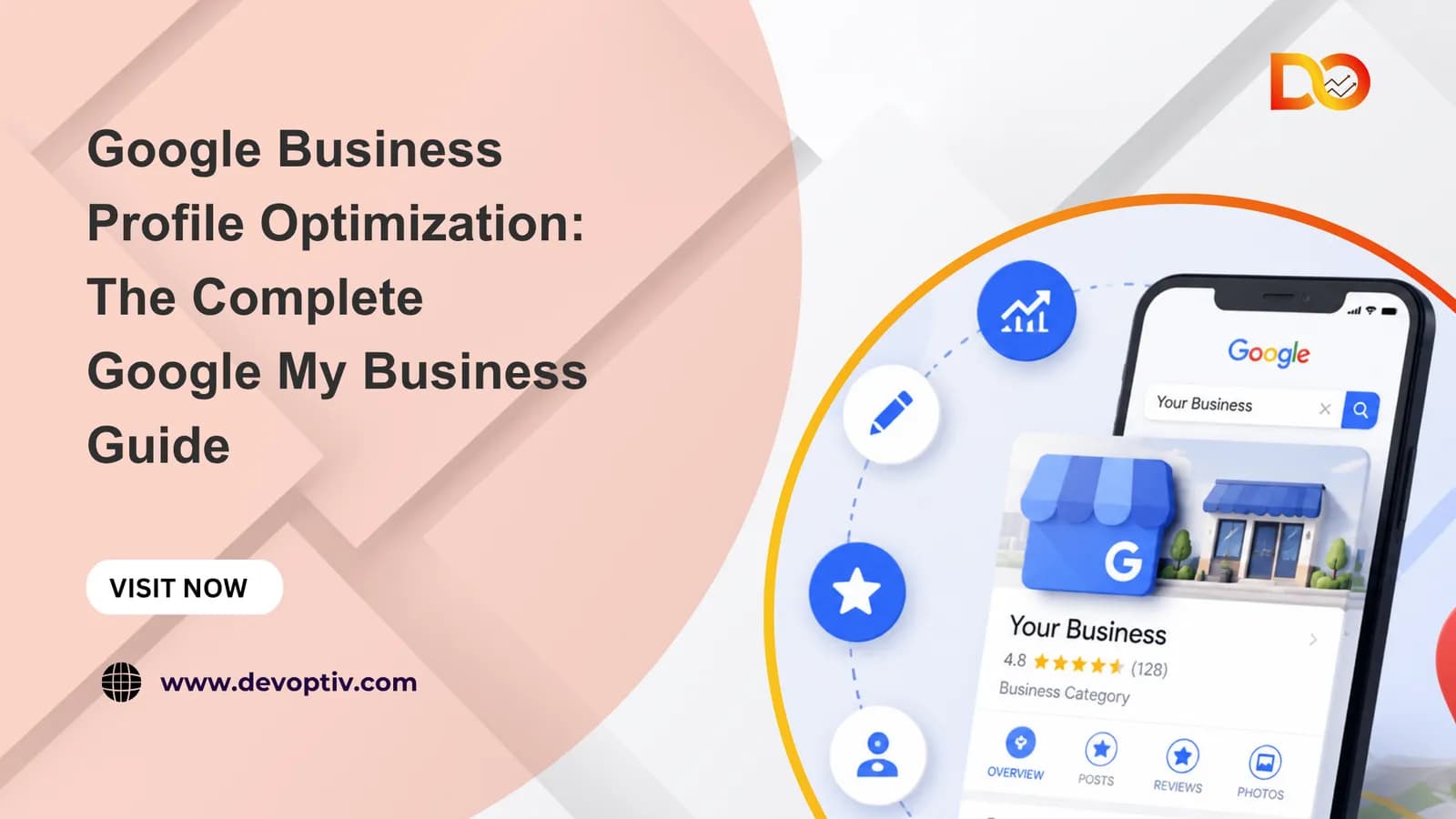
Google Business Profile (GBP) is a free Google profile that helps businesses manage how they appear on Google Search and Google Maps. It can display essential information such as your business name, category, location, opening hours, phone number, website, reviews, photos, and services.

For a local business, this profile can be the first thing a potential customer sees when searching for your business or a service you provide. They can use it to compare businesses, read reviews, find directions, call you, or visit your website.
Why Google Business Profile Optimization Matters
Creating a profile is only the first step. Google Business Profile optimization is the process of improving the information and features on your profile so Google can better understand your business and customers can quickly find the information they need.
This includes choosing the right business category, providing complete information, adding relevant services and photos, managing reviews, and keeping the profile up to date. A well-maintained profile can also support your wider local SEO services strategy by strengthening your presence in local search.
Think of your GBP as your business's storefront on Google.
Your website provides the full story; your Business Profile helps customers decide whether to take the next step.
Google Business Profile vs. Google My Business
If you have searched for Google My Business profile, Google My Business account, or Google My Business services, you may see both GMB and GBP mentioned.
Google My Business (GMB) was the former name of the platform. Google now calls it Google Business Profile (GBP). The terminology has changed, but the purpose remains: helping businesses manage their presence across Google Search and Maps.

Your business may already have a Google profile, but optimization determines how complete, useful, and competitive that profile is.
How to Set Up or Claim a Google Business Profile
Before you start Google Business Profile optimization, you need to make sure your business has the correct profile and that you can manage it. If your business already appears on Google, don't create another profile. Find the existing listing and claim it. If there is no existing listing, you can create a new one through Google's Business Profile setup.
1. Find or Create Your Business Profile
Sign in with a Google account that the business owner or authorized representative can access. Then go to Google's Business Profile page and select “Manage now.” Search for your business first. If an existing profile appears, follow Google's process to claim or manage it. If it doesn't, follow the setup process to add your business.

2. Add Your Business Information
Google will ask for the information customers need to identify and contact your business. Enter your real business name exactly as it is used in the real world. Don't add extra keywords, locations, or services to the name simply to improve rankings.
Next, choose the primary business category that best describes what your business does. You can add relevant secondary categories where appropriate. Then provide your business location or, if you travel to customers, set up the profile as a service-area business. Add only the areas you genuinely serve.Complete the remaining core information, including your phone number, website, and business hours.

3. Add Services, Products, and Photos
Once the basic information is added, give customers a clearer picture of what your business offers. Add your main services or eligible products with clear names and useful descriptions. Then upload genuine, high-quality photos that represent the actual business, such as your location, team, products, or completed work.

4. Verify Your Business
Google requires businesses to complete a verification process before the profile can be fully managed. The verification method available can vary by business and may include video, phone/SMS, email, or another method provided by Google. Follow the verification instructions shown in your profile. If verification is difficult, don't create another profile for the same business.
5. Complete and Optimize the Profile
Verification is not the end of the process. It is the point where you can start turning a basic listing into a stronger local search asset. Review the profile and complete the remaining relevant information, including the business description, categories, services, photos, hours, attributes, and other available features. Keep the information accurate as the business changes. Think of the process in three stages:
Setup → Verification → Optimization
Setup gets the business onto Google. Verification establishes that you are authorized to manage it. Google Business Profile optimization is the ongoing work of keeping the profile complete, relevant, accurate, and useful.
Google Business Profile Optimization: 12 Key Elements
A verified listing is just step one. Real Google Business Profile optimization happens when you fill in every section correctly and keep it updated. Here are the 12 elements that move the needle most.
1. Choose the Right Primary Business Category
Your primary category tells Google what your business does, and it directly affects which searches you show up for. Get this wrong, and even a fully optimized profile will struggle to rank. Always pick the most specific option available and only add secondary categories if they genuinely apply. It also helps to check what categories your top-ranking competitors are using.
2. Optimize Your Business Name
Use your real business name, exactly as it appears on your signage and website. Don't stuff keywords like "Best Plumber in Chicago" into the name field; this violates Google's guidelines and can get your listing suspended. Keep the name consistent with your storefront, invoices, and every other online directory, and avoid adding taglines, locations, or services into that field.
3. Complete Your Business Information
An incomplete profile is a missed opportunity, so fill out every field Google offers: your address (or service area, if you don't have a storefront), phone number, business hours, holiday hours, and website URL. Where possible, use a local phone number instead of a call-tracking one it reads as more trustworthy to both users and Google.
4. Write a Useful Business Description
You get 750 characters to explain what you do, who you serve, and what makes you different. Write for your customer first, not just for search engines lead with your core service and location, mention your specialties naturally, and skip the keyword stuffing. Google can tell, and so can readers.
5. Add and Optimize Services
The Services section lets you list exactly what you offer, with a short description for each. This is one of the most underused parts of Google My Business services setup; most competitors leave it half-filled. List every service you provide, not just your main one, and describe each using the same wording customers actually search for.
6. Add High-Quality Photos and Videos
Profiles with photos get significantly more clicks, calls, and direction requests than those without, and they also help you show up in the "Photos" filter within Search and Maps. Upload a real mix logo, cover photo, interior, exterior, team, and product or service shots rather than stock images, and add short videos and refresh your photos regularly to keep the profile feeling active.
7. Build a Review Strategy
Reviews are one of the strongest local ranking signals, and they heavily influence buying decisions. A steady flow of recent, positive reviews will always beat a handful of old five-star ratings. Make it a habit to ask happy customers for a review right after a positive interaction, and respond to every review you get good or bad. Never buy or incentivize fake reviews; Google actively detects and removes these, and it can put your listing at risk.
8. Keep Your Profile Active
Google rewards profiles that show ongoing activity, and this is part of standard GBP manage best practices rather than a one-time setup task. Post updates, offers, or events on a regular basis, answer questions in the Q&A section before someone else does it for you, and update your hours immediately for holidays or unexpected closures.
9. Optimize Products, If Applicable
If you sell physical products, the Products section works like a mini storefront inside your profile. Add clear product names, prices, and descriptions, use high-quality photos for each item, and group products into logical categories so customers can browse easily.
10. Add Relevant Attributes and Features
Attributes are small details that help you match specific searches for things like "wheelchair accessible," "outdoor seating," or "women-led." Go through every attribute Google offers and select what genuinely applies to your business, and revisit this list as your business changes. These details often decide close ranking ties between similar businesses nearby.
11. Keep Your Website and GBP Aligned
Consistency between your google my business account and your website builds trust with both users and Google's algorithm. Make sure your NAP Name, Address, Phone matches exactly across both, link out to relevant pages instead of just your homepage, and confirm that every service listed on GBP also appears somewhere on your site.
12. Build Local Prominence Beyond GBP
Google looks beyond your profile to judge how "prominent" your business is locally, and this is where broader local SEO services come into play. Getting listed on other reputable local directories, earning local backlinks and press mentions, and keeping your citations (business listings across the web) consistent all feed into this signal GBP optimization doesn't happen in isolation.
How to Rank Google Business Profile Higher
Google ranks local results using three main factors: relevance, distance, and prominence. You can't control distance, but you have real influence over the other two.
Relevance how well your profile matches what someone searched for. This comes back to your category, description, and services being specific and accurate.
Prominent how well-known and trusted your business is, based on reviews, backlinks, citations, and overall online presence.
Engagement signals clicks, calls, direction requests, and website visits from your profile all tell Google that people find you useful.
The businesses that consistently rank in the Local Pack aren't doing one thing right; they're doing all the basics well, at the same time, over a long period.
Why Your Google Business Profile Isn't Ranking
If you've done some google business profile optimization but still aren't showing up, one of these is usually the culprit.
Incomplete profile missing categories, hours, or services leave gaps Google can't fill in for you
Weak or few reviews competitors with more (and more recent) reviews will often outrank you
Inconsistent NAP mismatched business name, address, or phone number across the web confuses Google's trust signals
No posting activity an inactive profile signals a business that may be closed or unmaintained
Wrong or too-broad category this alone can keep you out of relevant searches entirely
Too far from the searcher sometimes ranking isn't a mistake, it's simply distance; this is where local SEO services like citation building and backlinks help close the gap
New or unverified listing brand-new profiles typically take time to build enough signals to rank well
Common Google Business Profile Optimization Mistakes
Small errors here can quietly cap your rankings for months. Watch out for these:
Keyword stuffing the business name e.g., "Joe's Plumbing | Best Emergency Plumber NYC." This goes against Google's guidelines and risks suspension.
Using a P.O. box or virtual address for a business type that requires a real, physical location.
Duplicate listings for the same location split your reviews and confuse Google about which profile is authoritative.
Ignoring negative reviews instead of responding to them professionally.
Letting information go stale old hours, outdated photos, or services you no longer offer.
Skipping the Q&A section leaving it open for anyone, including competitors, to answer incorrectly.
Buying fake reviews or followers Google actively detects this, and it can trigger a suspension and destroy trust once discovered.
How to Measure Google Business Profile Performance
Optimization only works if you're tracking whether it's actually working. Google gives you built-in performance data inside the GBP Dashboard.
Search views how many times your profile appeared in search results
Map views how many times it appeared on Google Maps
Website clicks, calls, and direction requests direct actions taken from your profile
Photo views compared to similar businesses
Search queries the exact terms people used to find you (great for refining your description and services)
Check these numbers monthly, and compare them after each round of changes, new photos, updated services, a review push so you know what's actually moving the needle.
Conclusion: Turn Your Business Profile Into a Local Search Asset
Your Google Business Profile is not a one-time setup, it's an ongoing asset that keeps working for you as long as you keep it accurate, active, and trustworthy. Complete every field, add photos and posts regularly, ask for reviews, and check your performance data often.
Do the fundamentals well and consistently, and your profile stops being just a listing it becomes one of your strongest, lowest-cost local marketing channels.
That said, staying on top of category changes, review management, posting cadence, and performance tracking takes real time time most business owners would rather spend running their business. That's where Devoptiv comes in. As a team focused on google my business gbp optimization and broader local SEO services, Devoptiv handles the ongoing profile management, review strategy, and local ranking work so your business shows up consistently when nearby customers search without you having to become a GBP expert yourself.
If you'd rather have specialists manage this for you, Devoptiv's local SEO team can audit your current profile and build a plan to get it ranking. Contact us today to get started.