
Nearly 97% of Google clicks happen on the first page of search results. A recent Ahrefs study analyzing billions of Google Search Console clicks found that 96.98% of desktop clicks and 97.56% of mobile clicks went to the top 10 results. That means creating useful content alone is not enough. Your pages need to be optimized to compete for those top positions and clearly communicate their value to both search engines and users. This is where on-page SEO becomes essential.
On-page SEO is the process of optimizing the elements on your webpages so search engines can understand their topic, relevance, and purpose while users can quickly find the information they need. From search intent, keywords, title tags, and headings to content quality, internal links, images, URLs, and structured data, each element plays a role in making your page more relevant, accessible, and useful.
In this guide, you will learn what on-page SEO is, why it matters, what you should optimize, and how to use a practical on-page SEO checklist to improve your website’s search visibility and rankings.
What Is On-Page SEO?
On-page SEO is the process of optimizing the elements of a webpage to help search engines understand its topic and relevance while making the content more useful and accessible to users.
It includes everything from search intent, keywords, title tags, headings, URLs, and content quality to internal links, images, and structured data. The goal is not to add keywords repeatedly, but to create a page that clearly answers the user's search and provides a useful experience.
For example, if you are targeting “on-page SEO services,” a well-optimized page should explain what those services include, address the questions your audience is likely to have, organize the information clearly, and use relevant internal links not simply repeat the keyword throughout the page.
Why Is On-Page SEO Important in 2026?
On-page SEO matters because ranking well is not just about having good content, it is about making that content relevant, understandable, and useful to both search engines and the people you want to reach.
In 2026, there are several reasons you should take it seriously:
It supports better search visibility: Ahrefs’ 2025 analysis of billions of Google Search Console clicks found that 96.98% of desktop clicks and 97.56% of mobile clicks went to the top 10 results. Getting your pages competitive enough for page-one visibility therefore matters enormously.
It helps you match search intent: A page can target the right keyword and still perform poorly if it does not provide what the searcher actually wants. Search intent should influence the content format, depth, structure, and angle of the page.
It makes your website easier to navigate: Strategic internal linking helps users discover related information while helping search engines find and understand important pages across your website.
It improves the overall page experience: Content needs to be supported by a page that is usable, mobile-friendly, secure, and performs well. Core Web Vitals and other page-experience considerations remain part of modern SEO.
It matters as search becomes more AI-driven: Google’s 2026 documentation confirms that SEO best practices continue to be relevant for its generative AI search experiences. That makes strong fundamentals, helpful content, clear structure, relevant information, and good page experience more important, not less.
Ultimately, on-page SEO is about making every important page easier to understand, more relevant to the searcher, and more useful once they arrive. It gives your content a stronger foundation to compete in traditional search results as well as the evolving AI-powered search landscape.
On-Page SEO Checklist for 2026
A well-optimized page is more than a page that contains the right keyword. It should satisfy search intent, communicate its topic clearly, provide original value, connect naturally to the rest of your website, and deliver a good experience.
Use this checklist when creating a new page or reviewing an existing one. You don't need to optimize every element in isolation; the real goal is to make the page work as a complete experience.
1. Understand Search Intent Before You Write
Start with the searcher's goal, not the keyword. Search the primary query and study the type of pages appearing in the results. If users are looking for a guide, don't create a thin service page. If they are looking for a product or service, don't bury the answer inside a 3,000-word article. Go beyond the obvious query. Think about the questions a visitor will have before, during, and after consuming your content.
Check:
What problem is the searcher trying to solve?
Is the intent informational, commercial, transactional, or navigational?
What format does the search currently favor?
Does your page answer the main question quickly?
2. Conduct Thorough Keyword Research
Before creating or optimizing a page, identify the keywords your audience actually uses to search for the information, product, or service you offer. Start with your primary keyword, then research related terms, variations, questions, and long-tail keywords that reflect different aspects of the topic.
Look at factors such as search intent, search volume, keyword difficulty, relevance, and business value rather than choosing keywords based on volume alone. Also review the current search results to understand what Google considers relevant for the query. The goal is to find keywords that are relevant to your audience, realistic to target, and aligned with what you want the page to achieve
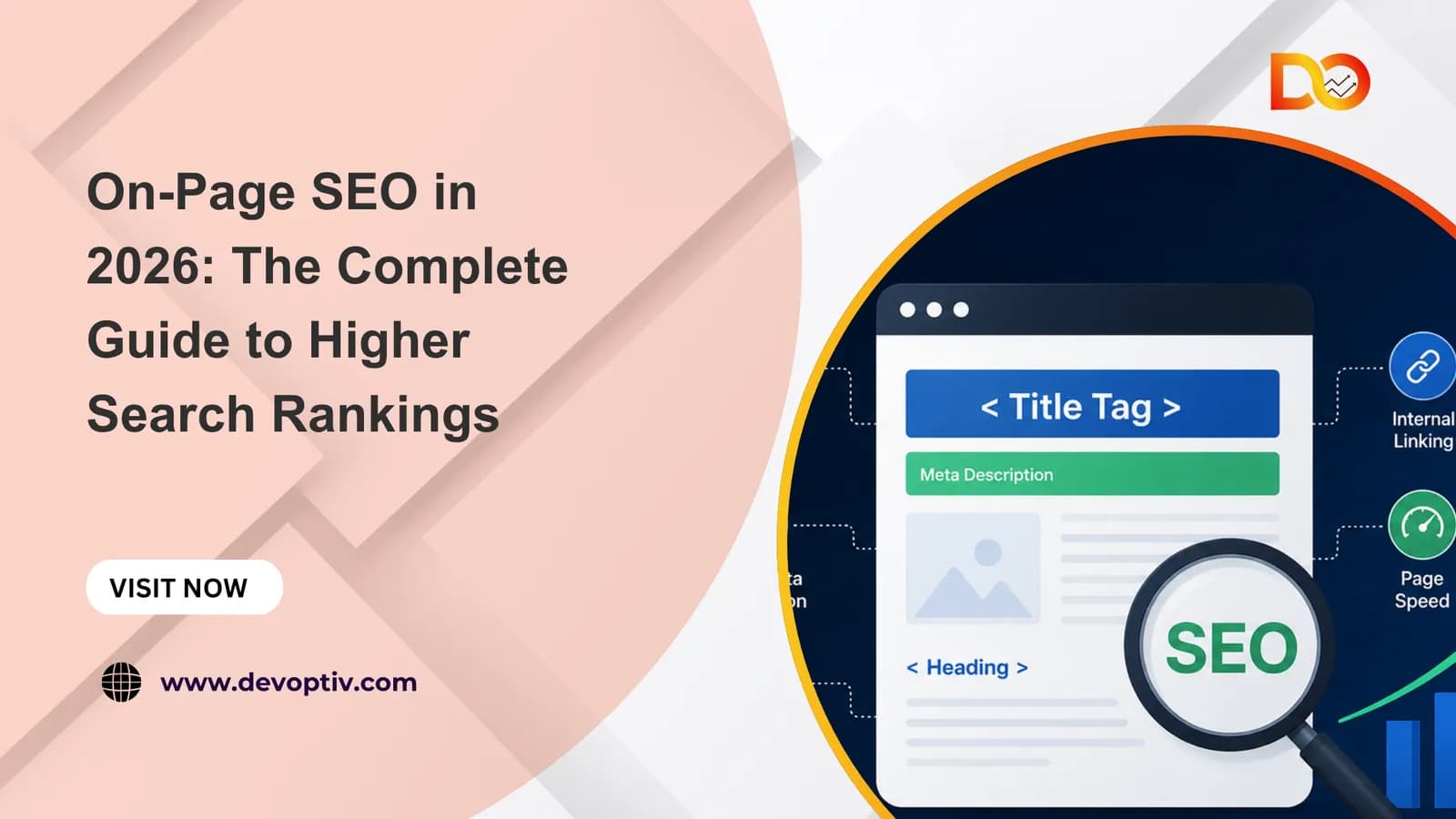
3. Create a Descriptive Title Tag
Your title tag should tell searchers what the page is about and give them a reason to consider clicking.
A strong title should be:
Specific
Relevant to the search intent
Unique to the page
Naturally worded
Aligned with the actual content
Don't write a title promising something the page doesn't deliver. Google can also generate or modify search-result titles based on other page signals, so consistency between your title and page content matters.

4. Write a Compelling Meta Description
Your meta description should work like a short preview of the page. Explain what the reader will find and why it is useful. Include the primary topic naturally, but don't turn the description into a collection of keywords.
Remember: Google may use your meta description or may generate a different snippet from the page when it believes another section better matches the search.

5. Keep the URL Simple and Meaningful
A good URL gives users and search engines a clear idea of what the page covers. Keep URLs short, readable, descriptive, and consistent. Avoid unnecessary parameters, excessive folders, and changing URLs without a good reason.

6. Build a Logical Heading Structure
Use headings to organize the page not simply to make text larger. Your structure should make sense:
H1 → Main topic
H2 → Major sections
H3 → Supporting points
A reader should be able to scan your headings and understand the page's overall structure.
Don't force keywords into every heading. A useful heading that clearly explains the section is more valuable than an awkward keyword-heavy heading.
7. Create Helpful, Comprehensive, and Trustworthy Content
Your content should answer the reader's main question early and clearly, then provide the depth they need to fully understand the topic or make a decision. Don't focus on reaching a specific word count, focus on covering important questions, practical examples, limitations, and useful details without adding filler.
To make your content stand out, add original insights, first-hand experience, expert opinions, updated data, case studies, or practical examples that readers may not find on competing pages. Support important claims with credible sources and make it clear who created the content and why they can be trusted.
The goal is simple: create content that is genuinely useful, original, accurate, and written for people first, not content created simply to rank in search results.
11. Strengthen Internal Links
Internal links help connect related pages across your website. When you mention a topic that deserves deeper explanation, link to the relevant page instead of forcing everything into one article.
For example, when discussing broader SEO strategy, you could naturally link to DevOptiv's SEO services. If another section discusses technical optimization, link to the most relevant DevOptiv resource rather than always linking to the homepage.

Good internal linking should:
Help users discover relevant information
Connect related topics
Use descriptive anchor text
Give important pages pathways from other pages
Avoid excessive or forced links
Google recommends using crawlable links and descriptive anchor text so users and search engines can understand where a link leads.
12. Optimize Images for People and Performance
Images should have a purpose. Use them to explain, demonstrate, compare, or support the surrounding content rather than adding generic stock images simply because the page looks empty.
Before publishing, check:
Is the image relevant?
Is the file unnecessarily large?
Is the format appropriate?
Does it work well on mobile?
Does it need descriptive alt text?
Could it slow down the page?
Does it provide information that text cannot communicate as effectively?
For example, an actual screenshot showing an SEO process can be considerably more useful than a generic photograph of someone working on a laptop.
13. Use External Links Where They Add Evidence
A strong page doesn't need dozens of external links. Link out when a source supports a claim, provides original data, or gives the reader a useful next step. Prefer sources such as:
Official documentation
Government organizations
Universities
Original research
Established industry studies
Recognized professional organizations
For example, when discussing Core Web Vitals, linking to web.dev's Core Web Vitals guidance is more useful than linking to a random SEO blog repeating the same information. The principle is simple: link because the source improves the content, not because you need another backlink or citation.
14. Use Schema Markup When It Fits the Page
Structured data helps provide search engines with additional context about the content of a page. Use the type that accurately represents what is actually on the page for example, Article, Product, Organization, LocalBusiness, or BreadcrumbList, where appropriate.

Don't add every schema type available just because a plugin gives you the option. Incorrect or misleading structured data can create problems rather than benefits. Use Schema.org to understand available vocabulary and Google's documentation to check which structured data features are supported in Search.
15. Check the Page Experience
Before worrying about another keyword, use your page like a real visitor. Ask:
Can I find what I need quickly?
Is the page comfortable to read on mobile?
Are important links and buttons easy to identify?
Does anything interrupt the experience?
Can I easily move to the next relevant piece of information?
Google recommends considering page experience alongside other aspects of creating a useful search experience.
16. Monitor Core Web Vitals
A technically excellent page should also load and respond well. The three Core Web Vitals measure:
LCP (Largest Contentful Paint): loading performance
INP (Interaction to Next Paint): responsiveness
CLS (Cumulative Layout Shift): visual stability
For a “good” user experience, Google's current thresholds are 2.5 seconds or less for LCP, 200 milliseconds or less for INP, and 0.1 or less for CLS, measured at the 75th percentile. Use tools such as Google Search Console, PageSpeed Insights, and Lighthouse to identify problems. Don't obsess over achieving a perfect score. A fast page with poor content is still a poor search result.

17. Optimize for AI Search by Improving the Page Itself
AI-powered search does not mean abandoning traditional SEO. Instead, make your content easier to understand and reference by using clear headings, direct answers, accurate information, original insights, descriptive links, structured content, and credible supporting sources.
Where appropriate, answer specific questions directly rather than hiding the answer beneath unnecessary filler. Most importantly, don't create content simply to “get cited by AI.” Build content that is genuinely worth citing in the first place. Google's guidance confirms that its existing SEO fundamentals remain relevant to AI features in Search.l

On-Page Content Optimization Factors
Creating useful content is only half the job. To help search engines understand your page and make it valuable for readers, you also need to optimize the content and the elements surrounding it. Effective on-page optimization focuses on relevance, search intent, readability, and clear content structure. Here are the key on-page content optimization factors to focus on:
Search Intent: Before optimizing a page, understand what the user is actually looking for. Search intent can be informational, navigational, commercial, or transactional.
For example, someone searching for “how to optimize a website for SEO” is likely looking for a guide, while someone searching for “SEO services for small businesses” may be comparing service providers. Your content should match that intent instead of simply adding keywords to the page.
Primary and Secondary Keyword: Use your primary keyword naturally in important areas of the page, including the title, introduction, relevant headings, and body content. Add closely related secondary keywords and variations where they genuinely support the topic.
Avoid keyword stuffing. Search engines are better at understanding topics and context, so content should be written primarily for people rather than built around repeating the same phrase.
Content Quality and Relevance – Your content should provide a clear and useful answer to the user's query. Avoid unnecessary filler and focus on information that helps readers solve a problem, make a decision, or understand a topic. Strong content should be accurate, up to date, easy to understand, and more useful than simply repeating information already available elsewhere.
Content Structure and Readability – A well-structured page is easier for both users and search engines to understand. Break lengthy content into logical sections using H2 and H3 headings, short paragraphs, bullet points, numbered lists, and tables where appropriate.
Keep each section focused on one clear idea and make the content easy to scan, especially for users reading on mobile devices.
Compelling Page Title – The title is one of the first things users see in search results. It should clearly communicate what the page offers while naturally incorporating the primary keyword when appropriate. A strong title should be specific, relevant, and compelling enough to encourage the right users to click.
Optimized Meta Description – A meta description should give searchers a concise reason to visit your page. Include the main topic naturally and explain what the reader can expect to find.
Although meta descriptions are not a direct ranking factor, a useful and relevant description can help improve the quality of search-result clicks.
Heading Optimization – Use one clear H1 that describes the main topic of the page, followed by logically organized H2 and H3 headings. Headings should help readers understand the page at a glance. Instead of forcing keywords into every heading, use descriptive language that accurately reflects the content underneath it.
Internal Linking – Link relevant pages together to help users discover related information and make it easier for search engines to understand the relationship between your pages. Use descriptive anchor text that tells readers what they will find after clicking. For example, instead of using “click here,” use a more meaningful phrase such as “technical SEO services.”
Freshness and Content Updates – Some topics require regular updates because information, statistics, products, regulations, or best practices can change over time.
Review important pages periodically and update outdated information, broken links, statistics, examples, and recommendations. Updating content should improve its usefulness rather than simply changing the publication date.
Helpful Multimedia – Relevant images, videos, infographics, charts, and other visual elements can make complex information easier to understand and improve the overall user experience. Optimize images with descriptive file names and appropriate alt text, while avoiding unnecessary media that could slow down the page.
Originality and Added Value – Simply rewriting information from other websites is unlikely to make your page stand out. Add something genuinely useful through original examples, expert insights, comparisons, data, practical steps, case studies, or firsthand experience. The goal is to give readers a reason to choose your page over competing results.
Clear Calls to Action – For commercial and service pages, tell visitors what they can do next. A relevant call to action could encourage users to request a quote, contact your team, book a consultation, download a resource, or explore a related service. The CTA should naturally follow the information provided rather than interrupting the user's experience.
The Best On-Page SEO Tools to Optimize Your Website
Optimizing hundreds or thousands of pages manually can be time-consuming. The right on-page SEO tools can help you find keyword opportunities, content gaps, technical issues, and page-level problems more efficiently.
Here are some of the most useful tools to consider:
1. Google Search Console
Google Search Console is a free tool for understanding how your pages perform in Google Search. You can monitor queries, impressions, clicks, rankings, indexing, and Core Web Vitals.
2. Semrush
Semrush combines keyword research, competitor analysis, content optimization, and site auditing. Its On Page SEO Checker provides page-level recommendations based on your target keywords and competing results.
3. Ahrefs
Ahrefs is useful for keyword and competitor research, backlink analysis, content gaps, and technical auditing. Its Site Audit can uncover issues such as duplicate titles, missing metadata, broken links, and heading problems.
Best for: Content research and comprehensive SEO analysis.
4. Screaming Frog SEO Spider
Screaming Frog crawls websites at scale and helps identify broken links, duplicate or missing metadata, heading issues, canonicals, redirects, and indexability problems.
5. Surfer
Surfer focuses on content optimization. It analyzes competing pages and provides recommendations around content structure, relevant terms, headings, and topical coverage.
6. Google PageSpeed Insights
Google PageSpeed Insights evaluates page performance and provides recommendations related to loading speed, images, JavaScript, CSS, and Core Web Vitals.
7. Yoast SEO & Rank Math
For WordPress websites, Yoast SEO and Rank Math make everyday optimization easier. They help manage titles, meta descriptions, XML sitemaps, schema, redirects, and other on-page elements directly from WordPress.
Which Tool Should You Choose?
You don't need every tool listed above. Your choice should depend on your website and objective:
Goal | Recommended tools |
Search performance | Google Search Console |
Keyword & competitor research | Semrush / Ahrefs |
Large website audit | Screaming Frog |
Content optimization | Surfer / Semrush |
Page speed | PageSpeed Insights |
WordPress SEO | Yoast SEO / Rank Math |
Remember: SEO tools identify problems and opportunities; they don't replace human judgment. Use their recommendations alongside search intent, content quality, user experience, and your business goals.
How to Measure On-Page SEO Performance
Optimizing a page is only half the job. You also need to measure whether those changes are improving visibility, engagement, and business results.
1. Track Organic Visibility
Use Google Search Console to monitor impressions, clicks, search queries, average position, and CTR. If impressions are increasing, your page may be gaining visibility for more searches. If impressions are high but clicks are low, review your title and meta description.
2. Monitor Organic Engagement
Use Google Analytics or another analytics platform to understand what visitors do after arriving from search. Look at engagement, landing-page behavior, and user journeys to determine whether the content is meeting their needs. Don't assume a quick exit is always negative. If someone finds the answer they need immediately, the visit may still be successful.
3. Measure Conversions
Traffic is useful only when it supports your goals. Track actions such as leads, enquiries, purchases, bookings, sign-ups, or downloads. A page with fewer visitors but highly qualified traffic can be more valuable than one attracting thousands of irrelevant visits.
4. Check Page Experience
Monitor Core Web Vitals and other performance issues through Google Search Console and PageSpeed Insights. Google's Core Web Vitals focus on loading performance, responsiveness, and visual stability.
5. Compare Performance Before and After
Check your page performance before making major SEO changes. After some time, compare the new results with the previous data. If your page is getting more relevant traffic, keeping visitors engaged, and generating more leads or sales, your on-page SEO is working.
Conclusion
On-page SEO in 2026 is about much more than placing keywords on a webpage. It is about creating pages that clearly match search intent, provide useful and original information, are easy to navigate, and give both users and search engines the context they need.
From your title tags, headings, and content to internal links, images, structured data, Core Web Vitals, and AI search readiness, each element contributes to a stronger page when it serves a clear purpose. The key is to avoid optimizing for search engines alone. Optimize for the person behind the search. When your page genuinely answers their questions, provides something valuable, and delivers a good experience, you build a stronger foundation for sustainable organic visibility.
Use this guide as an ongoing on-page SEO checklist, not a one-time task. Review important pages regularly, measure their performance, and improve them as your audience, industry, and search landscape evolve.
And if you need help turning these best practices into a consistent SEO strategy, you can explore DevOptiv's SEO services for professional support.